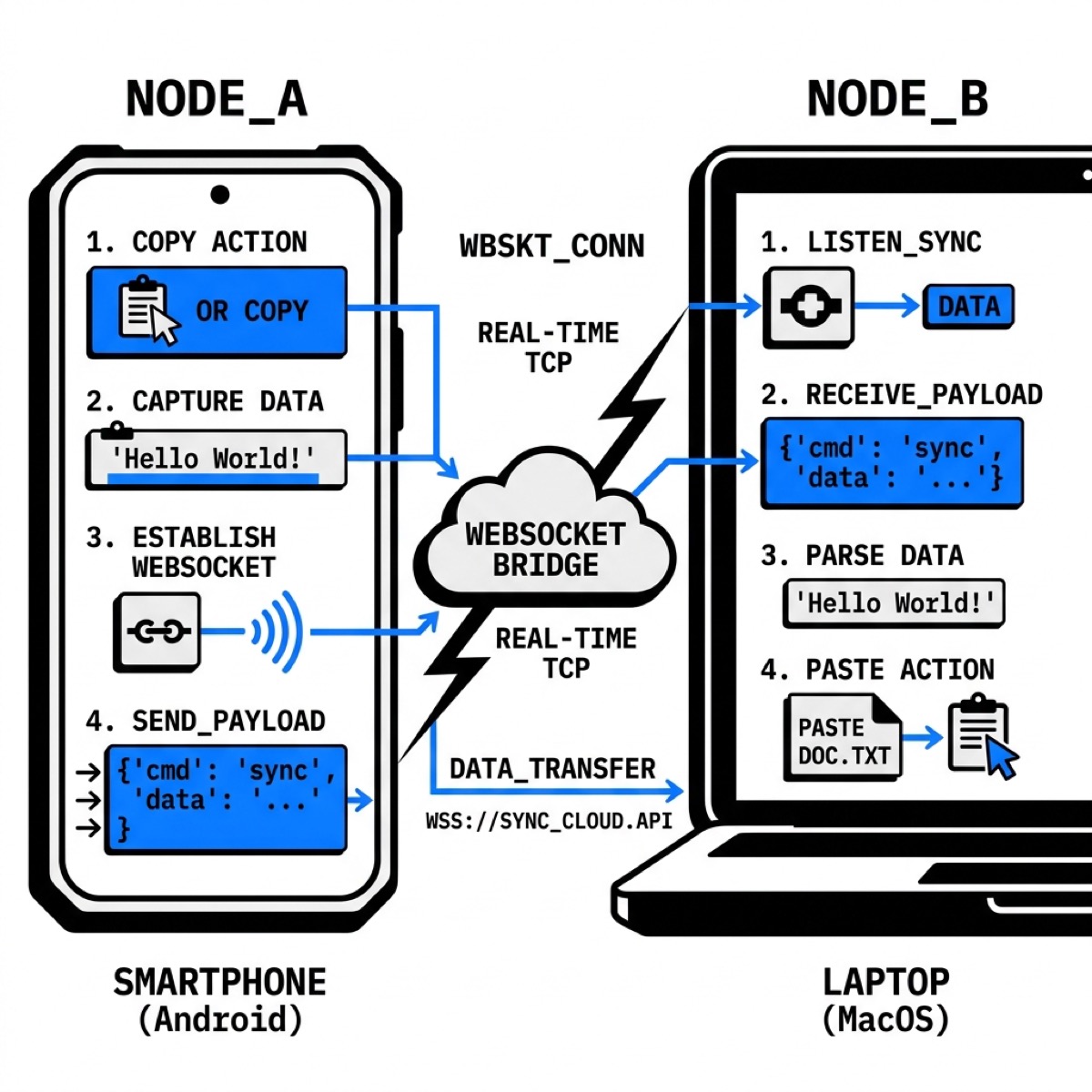
A cross-device clipboard is a real-time utility that synchronizes text and code snippets between multiple hardware platforms (Android, iOS, Windows, Mac) using a centralized web node. Modern tools like SyncClip use WebSocket protocols to ensure sub-100ms latency, enabling a "copy here, paste there" workflow without account creation or app installation.
CROSS-DEVICE_ CLIPBOARD_
Break the ecosystem walls. Sync your clipboard across every device you own, instantly and securely. No apps, no accounts, no friction.
The_ Walled_ Garden_ Problem_
Most cross-device clipboardsolutions are intentionally trapped in "Walled Gardens." Apple's Universal Clipboard works perfectly—but only if you stay within the Mac and iPhone ecosystem. Windows Phone Link is powerful—but only for Android and Windows users.
In a modern professional environment, your hardware stack is rarely homogenous. You might use an Android phone for testing, a MacBook for development, and a Linux server for deployment. Native manufacturer tools offer zero help in bridging these gaps.
SyncClip operates at the application layer, meaning it doesn't care what brand of hardware you are using. By using your browser as the runtime environment, it creates a "Virtual Ecosystem" that moves with you.
The Universal Sync Protocol
WebSocket Bridge_
Unlike cloud notes that rely on periodic polling, SyncClip uses full-duplex WebSocket tunnels. Data is pushed, not pulled. This reduces cross-device latency from seconds to milliseconds.
State Mirroring_
By using Convex's reactive state management, we mirror your clipboard data across all connected nodes in a shared session instantly. Every node is a master, and every sync is atomic.
Cross-OS Capabilities
Android ↔ Mac
The single most requested bridge. Move snippets from mobile browser to Safari/Chrome on macOS without AirDroid bloat.
Windows ↔ iPhone
Stop using iCloud for Windows. Sync text instantly between your iOS device and PC using our browser-native node.
Linux ↔ Tablet
Perfect for developers. Move terminal commands from your Linux rig to your tablet or smartphone for mobile testing.